Is there an expense app for iPhone and Android?
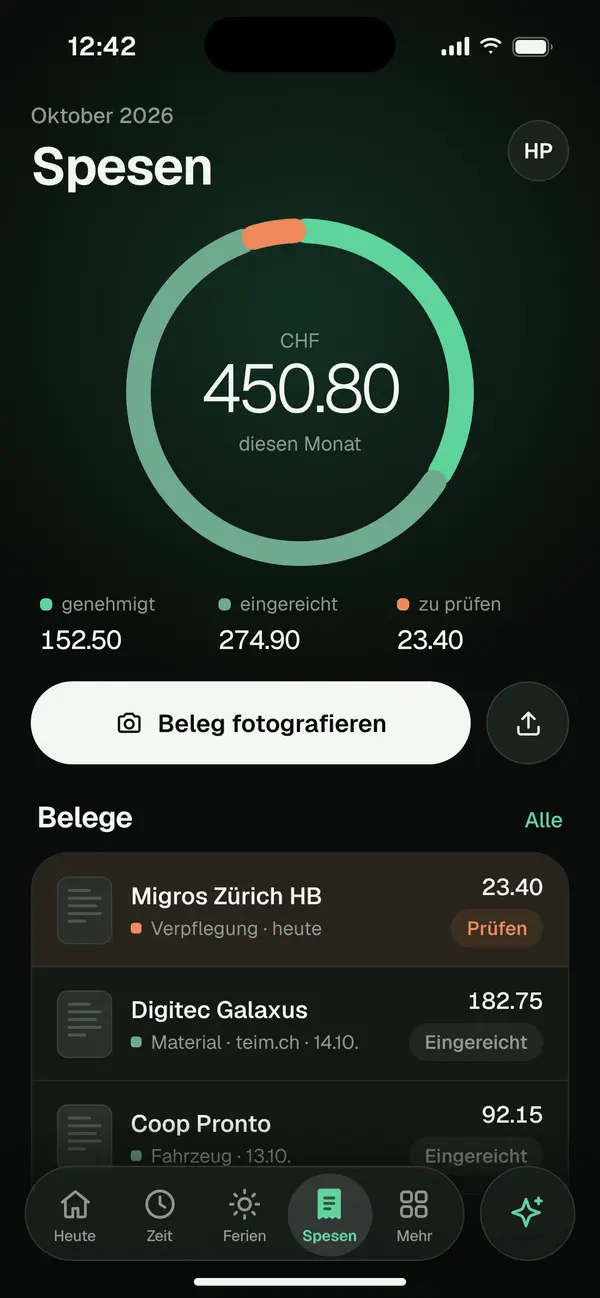
The iPhone and Android app is coming soon. Today your team photographs receipts in the phone’s browser, with nothing to install.
Expenses with OCR
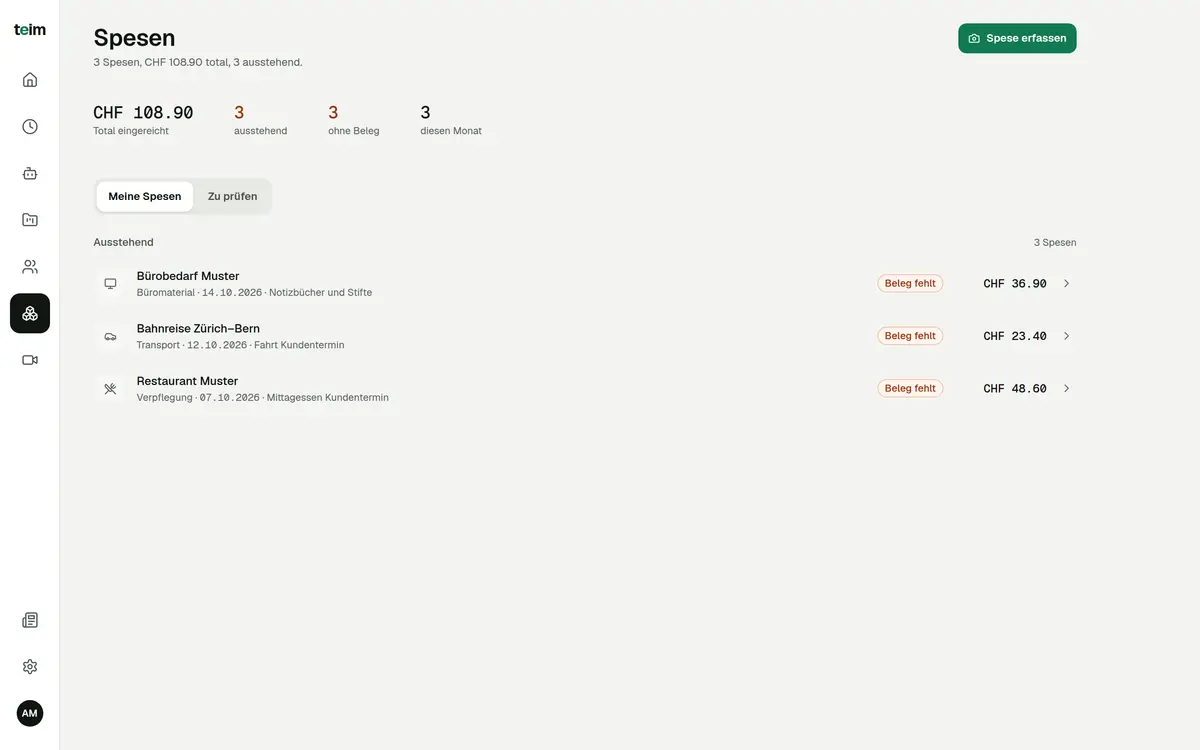
teim’s expense app for Switzerland captures a receipt in 3 steps: snap, check, submit. Today it runs in the browser on any phone or computer; the iPhone and Android app is coming soon. A GDPR-compliant AI reads amount, currency, merchant, date and category from the receipt.
Free until 31 January 2027 · then CHF 5.00 per company + CHF 3.00 per person per month · hosted in Switzerland
teim is Swiss software for time tracking, project management, expenses and absences for SMEs with 5 to 200 employees.
Last updated: 15 October 2026
How it works
Photograph the receipt in your phone’s browser or upload an image. The GDPR-compliant AI pre-fills the form.
Review amount, merchant, date and category, then pick a project or customer. Then you submit the expense.
HR, Admin or Owner see the expense under review and approve or reject it. The status stays visible in the overview.
Legal basics
Under Art. 327a of the Swiss Code of Obligations (CO), employers reimburse all expenses necessarily incurred in performing the work. teim keeps receipt, amount and approval in one place.
Sources: Swiss Code of Obligations (CO) Art. 327a, 327c, 958f (fedlex.admin.ch). Not legal advice.
reimbursed by the employer, including living costs when working away from the usual place (Art. 327a para. 1)
possible by written agreement, standard employment contract or CLA if they cover all necessary expenses (Art. 327a para. 2)
agreements making employees bear necessary expenses are void (Art. 327a para. 3)
based on the employee’s statement, together with the salary (Art. 327c para. 1)
accounting vouchers for ten years (Art. 958f)
Features
With the camera, in your phone’s browser.
A GDPR-compliant AI reads the key fields.
CHF by default, also recognises EUR and USD.
Meals, transport, travel, office supplies, other.
Link each expense to a project or customer.
HR, Admin or Owner approve or reject.
Pending, approved or rejected at a glance.
Expenses by category, month and person.
FAQ
The iPhone and Android app is coming soon. Today your team photographs receipts in the phone’s browser, with nothing to install.
Amount, currency, merchant, date and category. The values pre-fill the form; you check them and then submit.
HR, Admin or Owner. They see submitted expenses in the review tab and approve or reject them.
Photos and images in JPG, PNG, GIF or WebP format, up to 10 MB per receipt.
Yes, they must reimburse necessary expenses (Art. 327a CO). An agreement making employees bear them is void.
Expenses with OCR are included in the price of CHF 5.00 per company and CHF 3.00 per user per month. All other modules are included too. See pricing
Free for everyone until 31 January 2027. No credit card required.