What do the time tracking reports in teim show?
They show tracked hours, billable rate, projects, team and expenses for any period you choose. Depending on the role, there are up to 8 views.
Analytics & reports
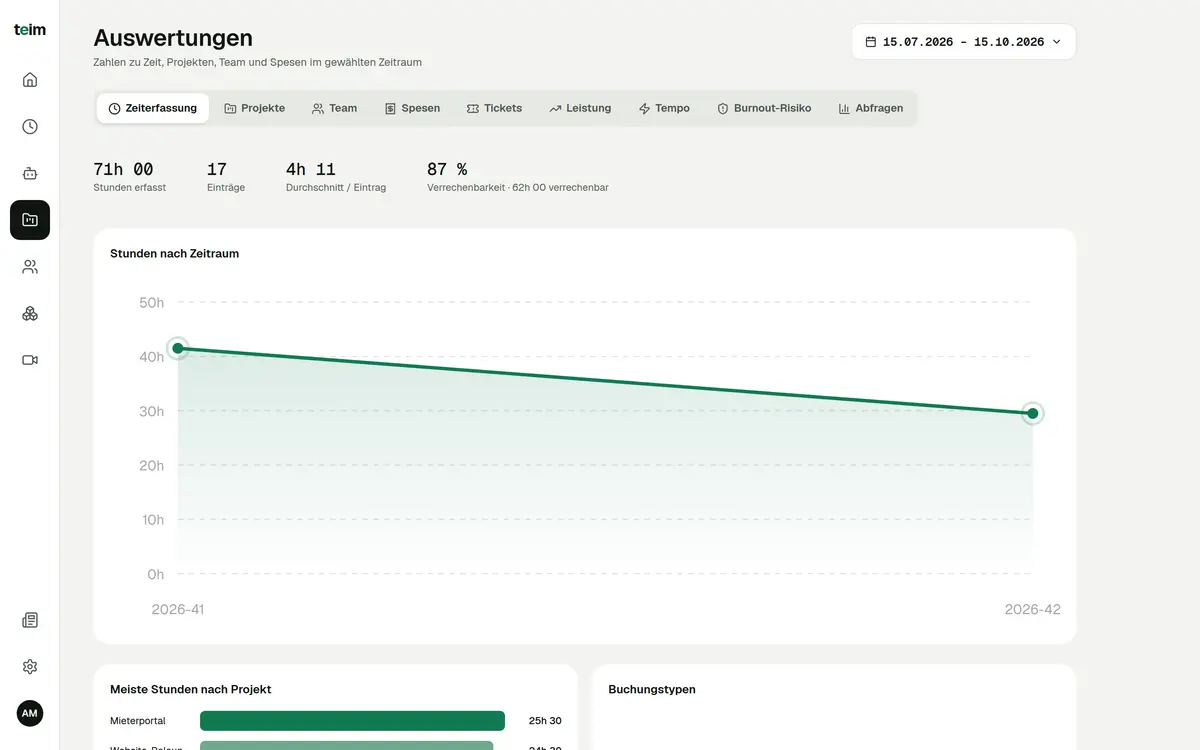
teim’s time tracking reports show in up to 8 views where your hours go. Billable rate in percent, budget usage per project and hours per person are calculated straight from tracked time. Each role only sees the numbers it is allowed to see.
Free until 31 January 2027 · then CHF 5.00 per company + CHF 3.00 per person per month · hosted in Switzerland
teim is Swiss software for time tracking, project management, expenses and absences for SMEs with 5 to 200 employees.
Last updated: 15 October 2026
How it works
Your team tracks time and expenses in teim as usual. Every time entry has a project and is either billable or internal.
Pick a period: from the last 7 days to the last year, or set your own start and end. Then open the view you need.
Projects close to budget and a low billable rate stand out at once. You decide based on numbers, not gut feeling.
Features
Hours, entries and billable rate for the period.
Hours, budget usage and contributors per project.
Hours, entries and absences per person.
Amounts by category, month and person.
Heatmap by hour of day and weekly trend.
Your own risk level with factors such as overtime.
Templates such as utilisation rate per employee.
Revenue figures for Owner and Admin only.
FAQ
They show tracked hours, billable rate, projects, team and expenses for any period you choose. Depending on the role, there are up to 8 views.
teim divides billable hours by all tracked hours in the period. Your team marks each entry as billable or internal when tracking time.
Employees see time tracking, expenses, burnout risk and queries. From the supervisor role up, projects, team, performance and pace are added. Only Owner and Admin see revenue figures.
Yes. Quick picks range from the last 7 days to the last year. You can also set the start and end yourself.
From the data your team records in teim: time entries, projects, absences and expenses. No need to merge spreadsheets.
Analytics & reports are included in the price of CHF 5.00 per company and CHF 3.00 per user per month. All other modules are included too. See pricing
Free for everyone until 31 January 2027. No credit card required.